
Creating a school schedule is one of the most complex planning tasks for any K–12 school. Which is why many schools turn to Orchestra Master Scheduler to simplify scheduling and reduce time spent managing changes, conflicts, and revisions. Let’s look at seven ways Orchestra helps schools save time throughout the scheduling process.
- Why School Scheduling Takes So Much Time
- 7 Ways Orchestra Helps Schools Save Time
- 1. Stop Spending Hours Hunting for Scheduling Conflicts
- 2. Create Schedules That Match How Your School Actually Operates
- 3. Change One Thing Without Breaking Five Others
- 4. Build Schedules Based on What Students Actually Need
- 5. Stop Searching for “The Latest Version” of the Schedule
- 6. Understand the Impact of Every Scheduling Decision
- 7. Share the Final Schedule Without Another Round of Confusion
- Spend Less Time Managing Schedules and More Time Supporting Students
- Frequently Asked Questions
Why School Scheduling Takes So Much Time
A completed school schedule may look straightforward to students and parents, but the work behind it is anything but simple. A master schedule is the complete timetable that determines:
- Which courses are offered
- When classes take place
- Which teachers are assigned
- Which classrooms are used
- How students receive the courses they need
Behind every successful schedule are hundreds of decisions involving enrollment data, staffing requirements, room availability, graduation requirements, and school policies. The challenge is that these decisions are connected. A change in one area can affect everything else. For many schools, managing these changes still means working through spreadsheets, manually checking conflicts, and coordinating updates across multiple people. This is where a purpose-built school scheduler can make a difference.
7 Ways Orchestra Helps Schools Save Time
1. Stop Spending Hours Hunting for Scheduling Conflicts
One of the fastest ways to lose an entire afternoon during scheduling season? Finding out that something does not work after you thought it already did. A student may request two courses that happen during the same period. A teacher may be assigned to multiple classes at once. Two departments may need access to the same classroom. Now, a schedule that was almost complete starts falling apart.
These problems are difficult because they are interconnected. Fixing one conflict may accidentally create another somewhere else. When schools rely on spreadsheets or manual checking, finding these issues often means reviewing hundreds of combinations and hoping nothing was missed.
That is where Orchestra Master Scheduler helps schools save time. Orchestra helps administrators identify scheduling conflicts while the schedule is still being created. Instead of manually reviewing every possible combination, scheduling teams can quickly detect overlaps and make adjustments before they become last-minute emergencies. With automatic conflict detection, schools can catch issues before they turn an almost-finished schedule into another round of revisions.
2. Create Schedules That Match How Your School Actually Operates

Not every school follows the same timetable. Some schools use traditional daily schedules. Others rely on block scheduling, rotating schedules, flex periods, or customized instructional models. The challenge is that many scheduling tools assume every school works the same way. But schools are not one-size-fits-all. A scheduling solution should adapt to the way your school operates, not force your school to redesign its processes around the software.
Our Online Master Scheduler gives schools the flexibility to support different scheduling models, including:
- traditional schedules
- 4×4 block schedules
- A/B block schedules
- rotating schedules
Schools can continue using scheduling models that work for their students and teachers without rebuilding their entire process around software restrictions. As programs evolve, schools can adapt their schedules without starting from scratch.
And here’s the bonus: when you finally create a schedule that works beautifully (courses are balanced, teachers are happy, students have what they need, class sizes are perfect, and there are no major changes throughout the semester), you don’t have to start over the following year. If your enrollment numbers, staffing, and academic programs remain relatively consistent, schools can carry forward successful schedules and make only the adjustments they need.
3. Change One Thing Without Breaking Five Others
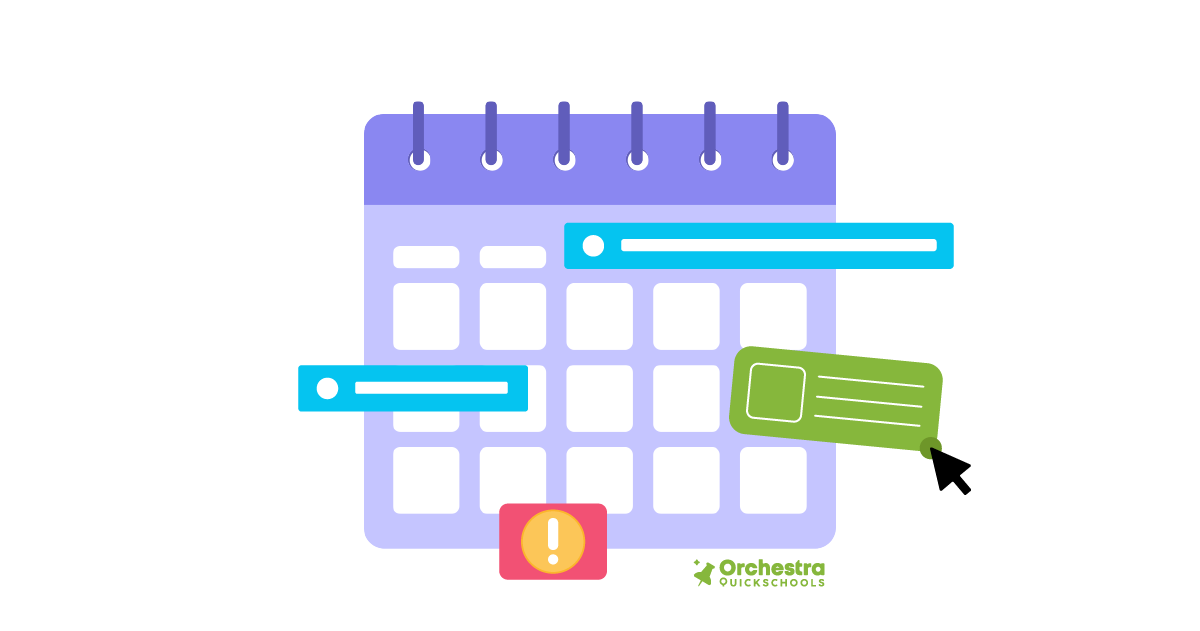
Anyone who has built a master schedule knows this feeling: You make one small adjustment… and suddenly three other things need fixing. A new teacher joins the staff. Enrollment numbers change. A department requests another section. A course needs to move periods. What looked like a simple update becomes a scheduling domino effect. This is one of the biggest reasons school scheduling takes so much time. The challenge is not just creating the first version of the schedule, but also managing everything that changes afterward.
With Orchestra Master Scheduler, administrators can adjust courses, periods, and assignments while seeing how those scheduling changes affect everything else overall. The drag-and-drop scheduling interface makes it easier to test different options, move classes, and refine the timetable without constantly rebuilding and starting over. Schools can also save their progress along the way, allowing scheduling teams to return to a previous save point in the process. That difference saves valuable planning time during one of the busiest periods of the school year.
4. Build Schedules Based on What Students Actually Need

A good master schedule starts with understanding students. Before a single period is finalized, schools need answers to important questions:
- Which courses are students requesting?
- How many sections are needed?
- Which subjects require additional staffing?
- Are required courses available to everyone who needs them?
When schools build schedules based on estimates, problems often appear later. For example, a popular course may not have enough sections, a required class may create conflicts, or students may need schedule changes after the year has already started. Without reliable data, schools may create schedules that do not fully support student needs.
Orchestra Master Scheduler helps schools use student course request information as part of the scheduling process. Instead of relying on estimates or memory of what happened last semester, administrators and counselors can make decisions based on actual enrollment information. This helps schools better align course offerings, staffing decisions, and available sections while reducing the number of changes required later.
In other words, the right information upfront saves time fixing problems afterward.
5. Stop Searching for “The Latest Version” of the Schedule
Ask anyone involved in school scheduling what slows them down, and outdated information is usually somewhere on the list. Then comes the inevitable question: “Which schedule are we actually using?” Master scheduling is a team effort. Administrators, counselors, department leaders, and staff all contribute information throughout the process. When everyone works from separate files, communication becomes harder, and mistakes are more likely to occur.
Because Orchestra Master Scheduler is cloud-based, scheduling teams can work from a shared platform with access to the latest scheduling information. Everyone involved can view updates without managing multiple files or manually distributing revised versions. A shared scheduling environment improves collaboration and reduces unnecessary confusion, which is especially valuable when working toward a tight deadline.
6. Understand the Impact of Every Scheduling Decision

Creating a master schedule involves hundreds of decisions. Without visibility into the bigger picture, administrators may only discover the consequences of a decision after significant work has already been completed. For instance, questions like: Should this course move periods? Should another section be added? Will this teacher assignment create a conflict later?
Orchestra Master Scheduler gives administrators real-time visibility while they build and adjust schedules. Instead of waiting until the final review to discover problems, teams can understand the impact of changes as they happen. This helps schools make faster decisions with more confidence. And the value doesn’t stop once the schedule is complete. Schools can use their scheduling data to review what worked, identify patterns, and make better planning decisions for future semesters. Instead of starting from scratch every year, administrators can use insights from previous schedules to continuously improve the next one.
7. Share the Final Schedule Without Another Round of Confusion

After weeks of planning, adjusting, and reviewing, the master schedule is finally complete. But the work is not over. The schedule still needs to reach teachers, counselors, students, parents, and administrators. And when information is shared manually, confusion can quickly follow. That final step can create just as much administrative work as building the schedule itself.
With Orchestra Master Scheduler, schools can publish finalized schedules directly from the platform and make them available to the people who need them. Once published, schedule information can flow through to student and parent portals, giving families access to the latest updates without requiring staff to manually distribute separate documents or send individual communications.
A clear and accessible final schedule helps schools start the year with fewer questions, fewer corrections, and better communication across the entire school community.
Spend Less Time Managing Schedules and More Time Supporting Students
Creating a master schedule will always require careful planning. Every school has different courses, staffing needs, and scheduling requirements to consider. The goal is not to remove the complexity (because that is highly impossible) but to remove the unnecessary manual work surrounding it.
With Orchestra Master Scheduler, schools can build schedules more efficiently, adapt to changes with confidence, and keep everyone aligned throughout the process. By saving time on scheduling tasks that once required hours of manual effort, administrators and counselors can focus their attention on what matters most: creating a better experience for students, teachers, and the entire school community.

Frequently Asked Questions
What is a master schedule in a K–12 school?
A master schedule is the complete academic timetable that organizes courses, teachers, classrooms, and student enrollment into a school-wide schedule.
Why is creating a school master schedule difficult?
Creating a master schedule requires schools to balance many requirements at the same time, including student course requests, teacher availability, classroom resources, academic requirements, and scheduling policies.
What is school scheduling software?
School scheduling software is a tool that helps administrators create and manage school timetables by organizing courses, teachers, students, rooms, and scheduling requirements.
How does Orchestra Master Scheduler help schools save time?
Orchestra helps schools save time by reducing manual scheduling tasks, identifying conflicts earlier, simplifying schedule adjustments, and keeping scheduling teams organized.
Who uses Orchestra Master Scheduler?
Orchestra is designed for school administrators, counselors, and scheduling teams responsible for creating K–12 school schedules.


One thought on “7 Ways Orchestra Master Scheduler Helps Schools Save Time Every Single Day”