
Are you seeking relief from the complexities of traditional school scheduling methods? Look no further! Unlock the full potential of Orchestra, our multi-user collaborative software to revolutionize your school scheduling endeavors. Bid farewell to cumbersome spreadsheets and fragmented communication. Instead, embrace a paradigm of streamlined efficiency and cohesive teamwork. Join us as we navigate the essential strategies for leveraging this innovative solution to its fullest potential.
- Benefits of a Multi-User Collaborative System
- Effortless Navigation and Accessibility
- Step into Tomorrow: Elevating Education with Collaborative Scheduling
Benefits of a Multi-User Collaborative System

In the bustling realm of educational institutions, orchestrating a seamless schedule can often feel like attempting to solve a Rubik’s cube blindfolded. Teachers, administrators, and staff members juggle various constraints, preferences, and requirements, striving to concoct the perfect timetable that balances efficiency and effectiveness. Let’s take a closer look at how our multi-user collaborative software can help simplify the scheduling process.
Enhanced Efficiency
Collaboration eliminates the need for sequential scheduling processes, where one user works on the schedule at a time. With multiple users able to contribute simultaneously, tasks such as course assignments, classroom allocation, and timetable adjustments can be completed much faster.
For instance, users can divide responsibilities based on their expertise. One could be focusing on teacher assignments, another on classroom scheduling, and so forth, leading to uninterrupted progress and reduced turnaround times.
Improved Communication
Real-time communication tools like chat and comments enable users to discuss scheduling decisions, resolve conflicts, and instantly provide feedback.
Educators can voice preferences for certain class times or express constraints such as availability for extracurricular duties, allowing administrators to consider these factors when finalizing the schedule. Administrators can also communicate policy changes or updates directly within the platform, ensuring that all users are promptly informed and can adjust their plans accordingly.
Optimized Resource Allocation:
By harnessing collective insights and data-driven algorithms, the platform facilitates smart resource allocation, reducing the number of conflicts.
Users can view real-time analytics and reports, providing visibility into resource utilization metrics such as classroom occupancy rates, teacher workload distribution, and student course preferences. Users can also create various custom reports to gain more insights.
Increased Flexibility
The platform’s collaborative nature enables agile responses to unexpected events or changes in circumstances. For instance, users can easily modify schedules in response to last-minute cancellations, rescheduling requests, or changes in staffing, ensuring minimal disruption to the educational process.
Administrators can experiment with different scheduling scenarios and quickly assess their impact, facilitating strategic decision-making and long-term planning. Moreover, the drag-and-drop functionality allows users to easily rearrange class periods or adjust teacher assignments, simplifying the scheduling process.
Empowered Educators
Teachers’ input for the master schedule is important. By involving teachers in the scheduling process, the platform fosters a sense of ownership, collaboration, and professional development.
Teachers can provide input on scheduling preferences, such as preferred teaching hours, classroom preferences, and co-teaching opportunities, enabling administrators to accommodate these preferences whenever possible.
Effortless Navigation and Accessibility
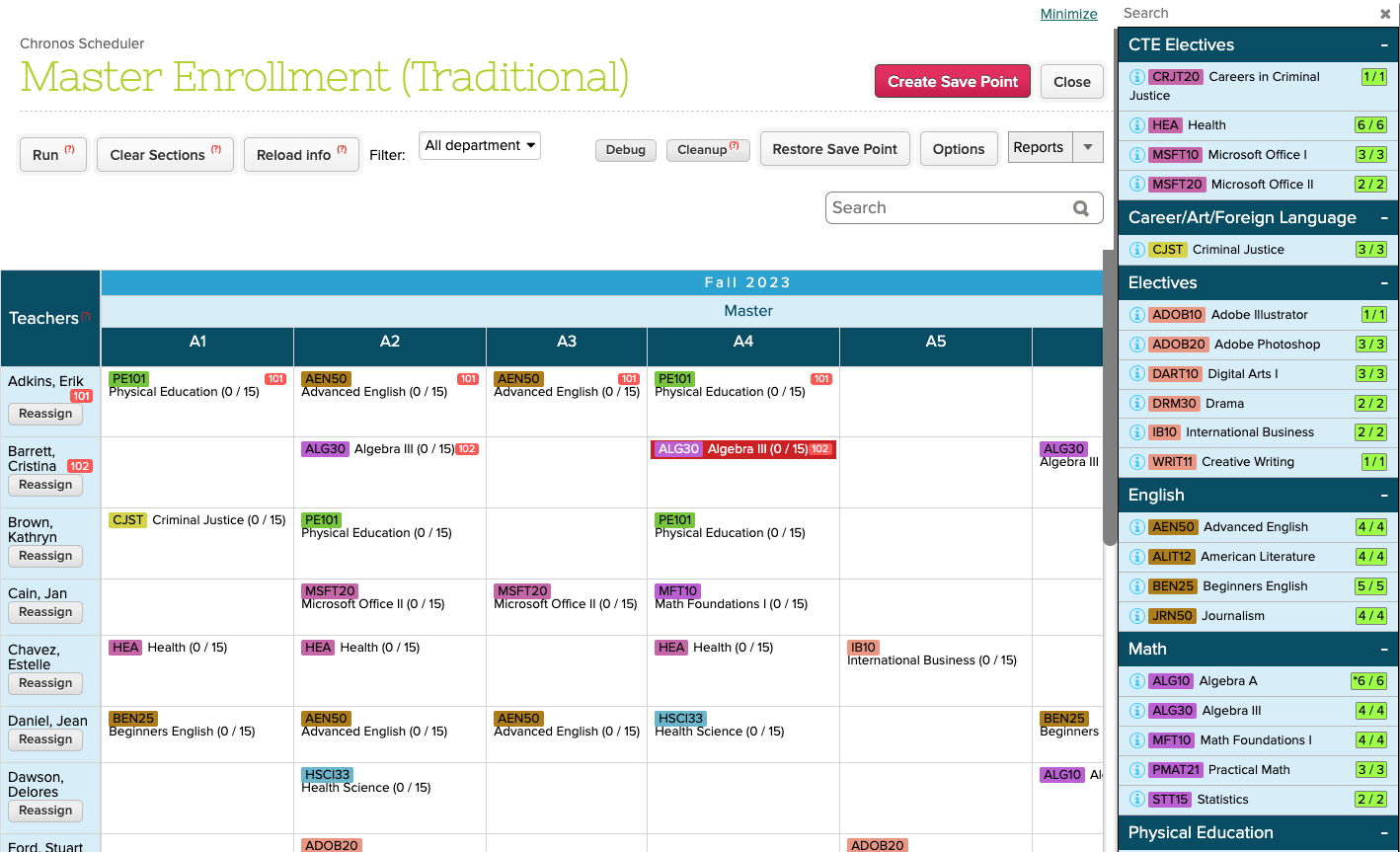
The key to Orchestra’s allure is the seamless collaboration it fosters among users. Teachers can effortlessly communicate scheduling preferences and constraints, while administrators retain oversight and control, ensuring coherence and compliance with institutional guidelines. Real-time updates ensure that all stakeholders are privy to the latest developments, mitigating the risk of conflicts and discrepancies.
Concurrent Access
The platform’s cloud-based architecture allows multiple users to access and edit the schedule simultaneously, without restrictions on concurrent usage. Users can collaborate in real-time, seeing each other’s changes and contributions instantaneously, promoting teamwork and reducing coordination overhead. This will also prevent data loss or inconsistency.
Remote Accessibility
Users have the convenience to access the platform from any internet-enabled device, offering them flexibility whenever needed, even while on the move. This accessibility ensures seamless interaction for users, enhancing their experience. Additionally, secure authentication protocols and data encryption measures are in place to safeguard sensitive scheduling information. These security measures effectively mitigate the risk of unauthorized access or data breaches, ensuring the confidentiality and integrity of user data.
Real-Time Updates and Communication
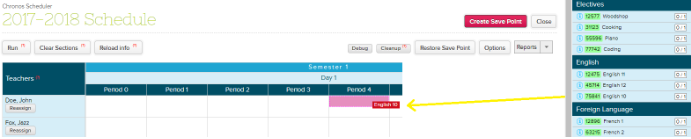
Changes made to the schedule are immediately propagated to all users, ensuring that all stakeholders have access to the latest information. Revision history and save point features allow users to revert to previous versions of the schedule if needed, providing an added layer of flexibility and security.
On top of that, integrated chat and messaging features enable users to communicate and collaborate directly within the platform. Users can discuss scheduling decisions, share insights, and provide feedback without switching between different communication tools or mediums. Administrators can also easily share the completed schedules on the Student and Parent portal with a click (or two) of a button. Talk about effective communication!
Intuitive Design
The platform’s user interface prioritizes simplicity, clarity, and ease of use, minimizing cognitive load and maximizing productivity. Consistent navigation patterns and visual cues guide users through the scheduling process, reducing the need for extensive training or documentation. Our software also eases the schedule-building process with customizable color-coding features to help turn chaos into clarity.
Permission Settings
Granular permission settings enable administrators to control user access levels and privileges, ensuring data security and privacy. By exercising precise control over user access levels and privileges, administrators can confidently navigate the complexities of data security and privacy concerns. For instance, who can access Master Scheduler, add or edit Course Requests, configure District Settings, and many more. With the ability to tailor permissions to the unique needs of your institution, administrators can ensure that only authorized personnel have access to critical functions and confidential data. Whether it’s granting teachers the ability to view and edit their schedules or empowering administrators with comprehensive oversight, role-based access controls provide clarity and accountability across your organization.
Step into Tomorrow: Elevating Education with Collaborative Scheduling
At its core, this innovative software transcends the limitations of traditional scheduling methods by offering a dynamic, cloud-based platform where multiple users can seamlessly collaborate in real-time. Gone are the days of cumbersome spreadsheets and endless email chains; instead, educators and administrators unite on a single interface, empowered to craft schedules with unparalleled efficiency and precision.
Ready to try our school scheduling software for yourselves? Sign up for an all-free demo experience today and explore the magic of multi-user collaborative scheduling firsthand!

 Blog
Blog 
7 thoughts on “How to Optimize School Scheduling with a Powerful Multi-User Collaborative Software”